Adding your Payment card
Last updated: September 19, 2025
When you sign up for a together.ai account you will be prompted to add your card and purchase your first credit to use our services.
Together AI operates on a monthly billing cycle, with charges processed on the 3rd of each month for any outstanding balance. In some cases, your bank may require authorization for each transaction, and Together AI will send an authorization link to your registered email at the start of each month.
Once you've added your card, you can manage your billing by navigating to your account settings via your account icon drop down menu in the top right and selecting settings:

From the account settings menu, you can select billing on the sidebar which will take you to this screen:
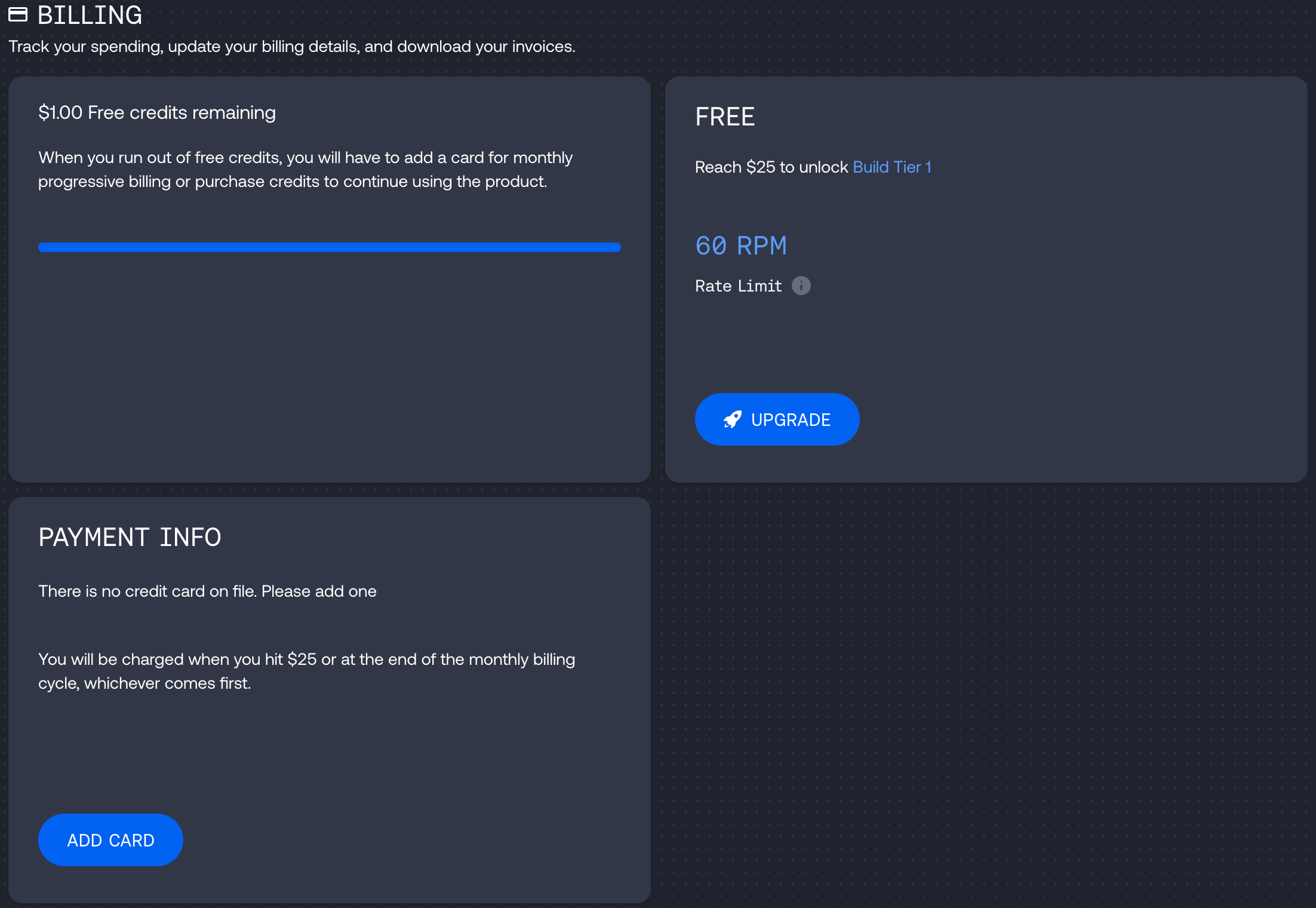
Where you can update your card details if you need to change your billing information in the future, and see previous invoices.
Where you can update your card details if you need to change your billing information in the future, and see previous invoices.
Troubleshooting Payment Card Issues
If you experience problems adding your payment card or the system continues to request your card details, try these troubleshooting steps:
Verify card details: Ensure your card is active, not expired, and all details are correct (including CVV and billing address)
Check available funds: Confirm sufficient funds are available on the account associated with your card
Bank authorization: Some banks require authorization for each transaction - check for notifications from your bank to approve the payment
Processing time: Credit purchases can take up to 15 minutes to complete - avoid re-entering card details during this period
Supported card types: Together AI accepts only credit or debit cards linked to a bank account - prepaid cards are not supported
Spending limits: Verify there are no spending limits on your card or blocks imposed by your bank
If issues persist after trying these steps you can contact our support team via the support form in the header of this page or dashboard chat.
Note that it is not possible to remove a payment card from your Together AI account without replacing it with another card, as the system requires a linked card to manage billing and outstanding balances. If you need to completely remove your payment information, you would need to delete your Together AI account through the self-service process at https://api.together.xyz/settings/profile in the "Privacy and Security" section.